NHSN Set-up (required before beginning reporting)

Log in to SAMS using your username and password, and select ‘NHSN Reporting.’
Select your facility from the “NHSN Landing Page”.
Go to “facility” on the navigation menu and select locations.
For each unit in your facility, create a code, location label and assign a CDC location description. The codes and labels you choose will identify patient care locations in your facility.
Location Mapping Quick Reference Guide April 2018 [PDF – 250 KB]
CDC Location Labels and Location Descriptions [PDF – 1 MB]
Time to complete step: 18 minutes

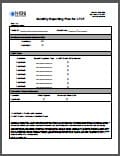
Monthly reporting plans indicate which modules you intend to follow. Can be completed for full calendar year.

a. Each user will need to complete training and register with SAMS.
b. We suggest a facility identify at least 2 users with administrative rights.
Tip: Set-up is a good time to add other users to assist with reporting.
Time to complete step: 6 minutes
Access NHSN reporting at https://sams.cdc.gov.
Start entering events for the modules selected in monthly reporting plan.
Go to the Tracking Infections in Acute Care Hospitals/Facilities for more reporting resources.